

SMTP details
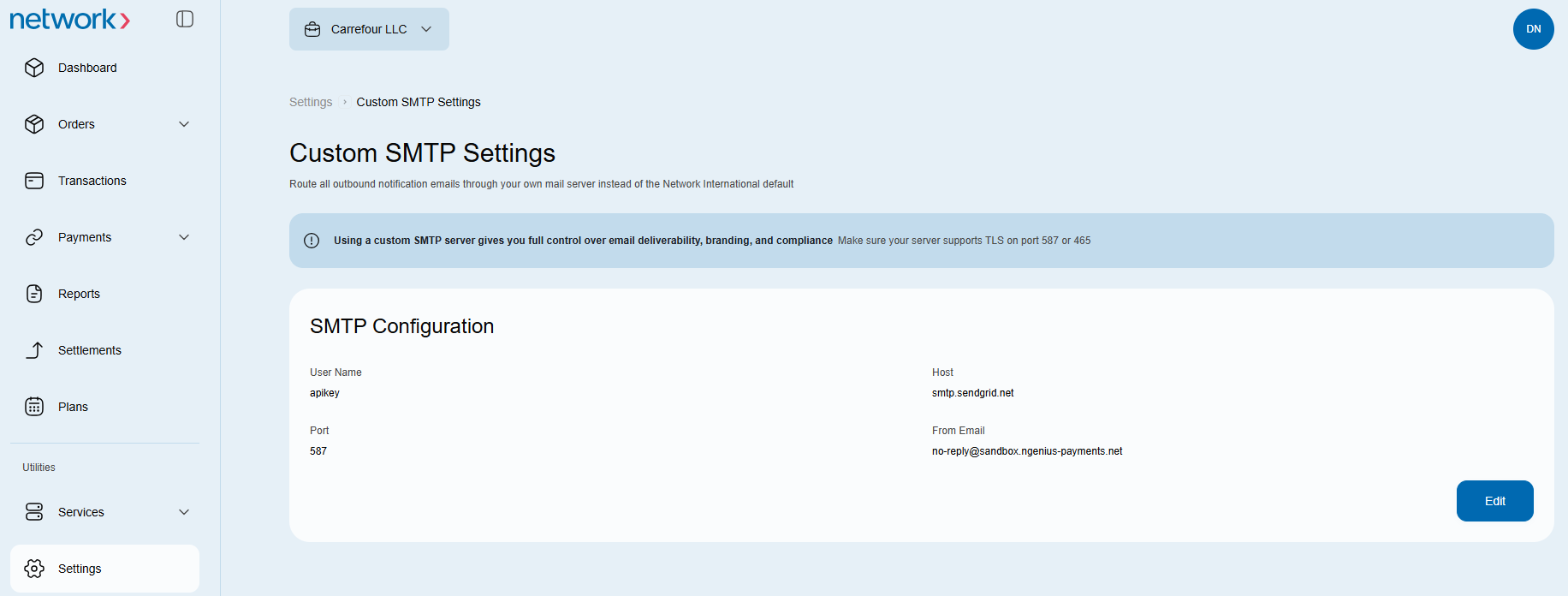
Configure your own email domain for payment links, cardholder notifications and payment notifications in N-Genius Online.
Configure SMTP details
- Ask the operations team to enable SMTP details and whitelist your email domain. Wait for confirmation before configuring the Portal.
- Open Settings → Notifications in the Merchant Portal and click Edit for custom SMTP.
- Enter the Host, Port, From email, Username and Password for your email server.
- Click Save Changes to save the configuration, or Cancel to leave without saving.
Optional: Send a test email
Enter the password before using Send test email. The test-email recipient and result have not been verified for this guide.
You can edit the existing custom SMTP configuration, but you cannot add or delete one. The configuration uses one email address for all outbound emails instead of [email protected].
Updated 1 day ago
Did this page help you?