

Create New Pay By Link
Generate a Unique Invoice
Create a New Payment Link
Create a payment link for your customer and choose whether to send an email notification when you create it.
Before you start
- Review Pay by Link Configuration to check your sender details, logo and link settings.
- Configure an email template if you plan to send an email notification.
Open the new link form
- Open Payments → Payment Link.
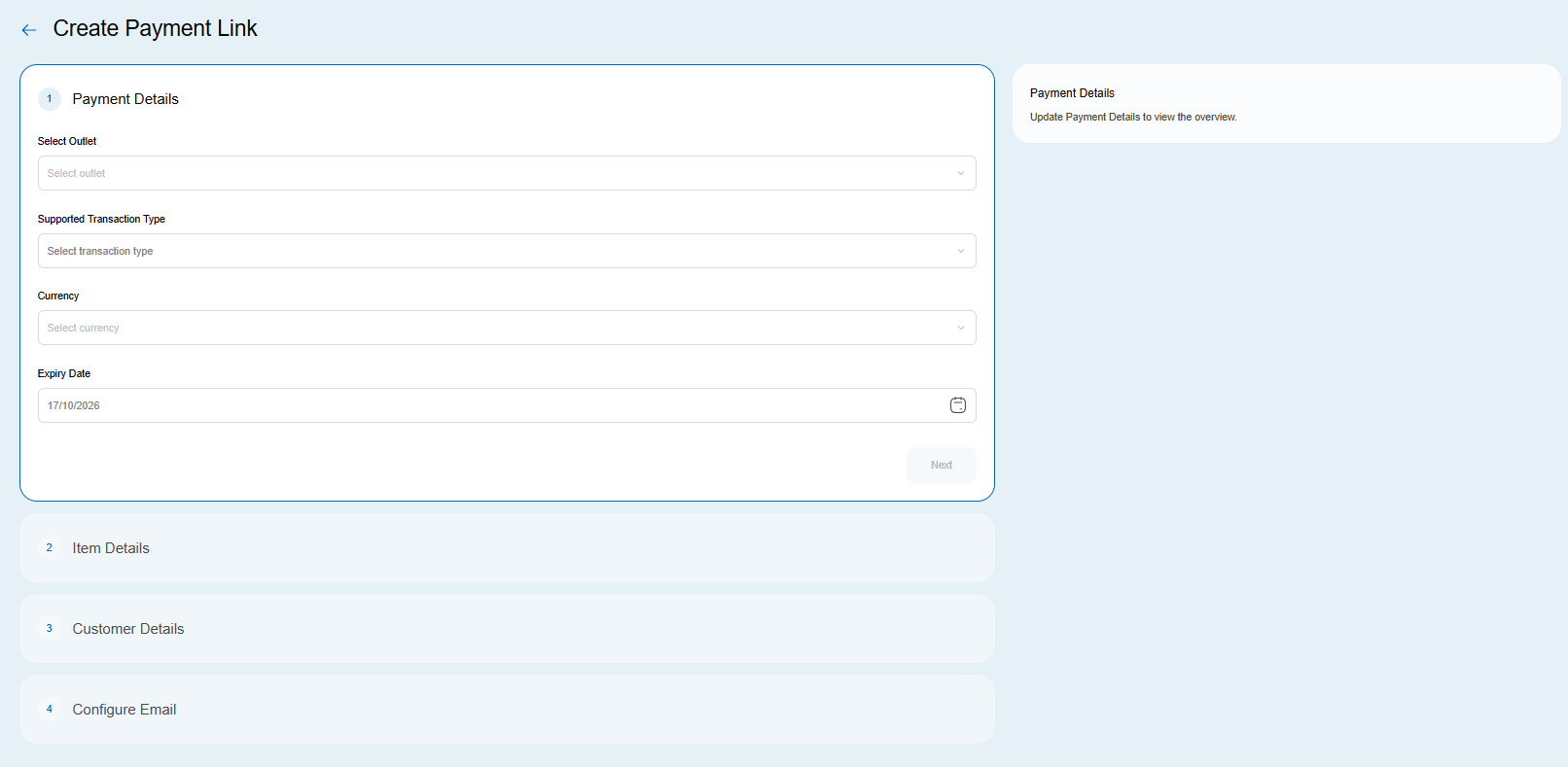
- Click Create Payment Link, then Standard. The Create Payment Link page opens.
Fill in the details
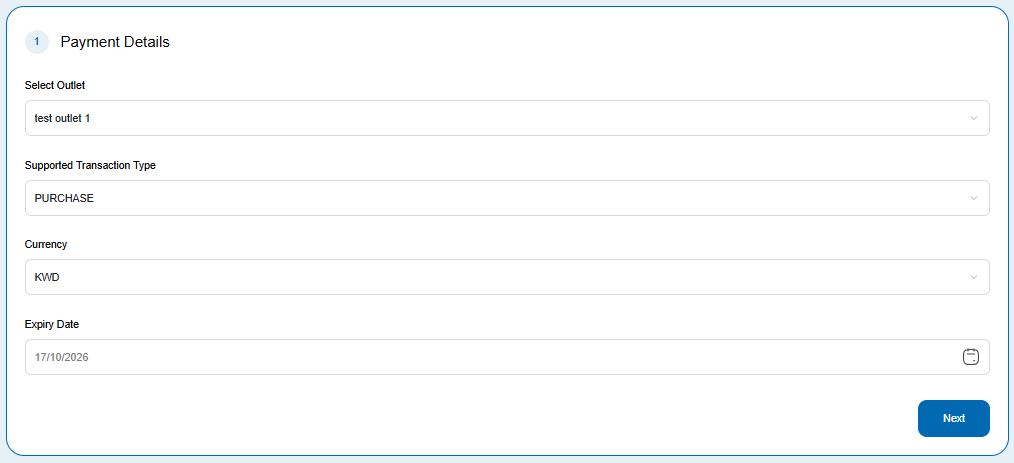
Payment Details
- Choose an Outlet from the dropdown.
- Select a Supported Transaction Type.
- Select a Currency.
- Choose an Expiry Date, then click Next.
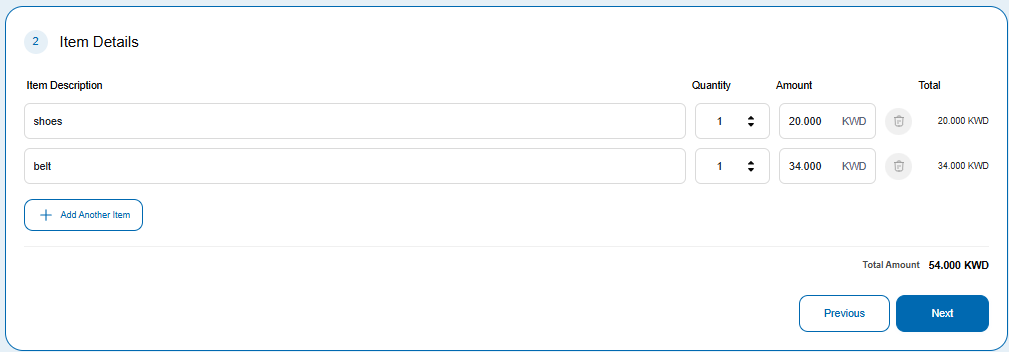
Item Details
- Enter an Item description, Quantity and Amount.
- Click Add another item if you need more line items.
- Click Next to continue, or Previous to return to Payment Details.
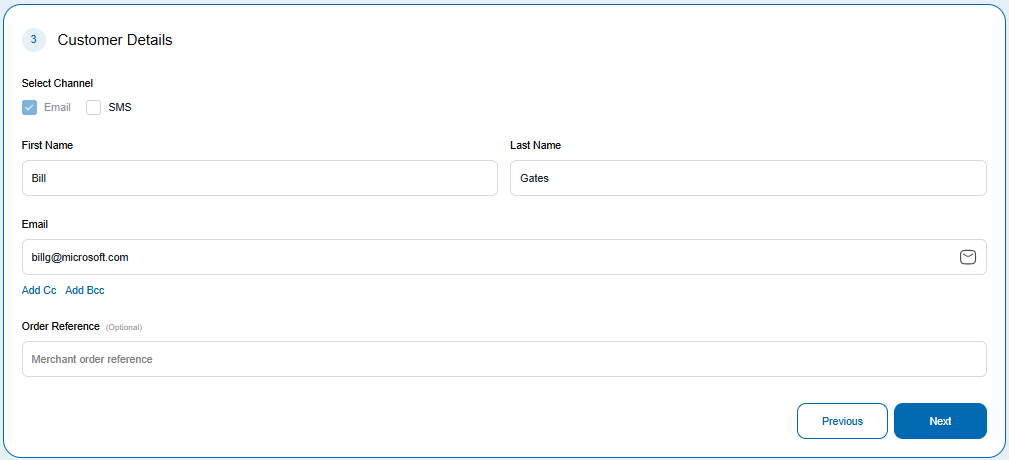
Customer Details
- Select Email or SMS as the communication channel.
- Enter the customer's first and last names, then enter the contact details for your selected channel:
- Email: enter the email address.
- SMS: enter the mobile number.
- Enter a merchant Order Reference if needed, then click Next.
Choose whether to send an email notification
On Configure Email, select whether to send an email notification when you create the payment link. Creating a link does not mean you must send an email notification.
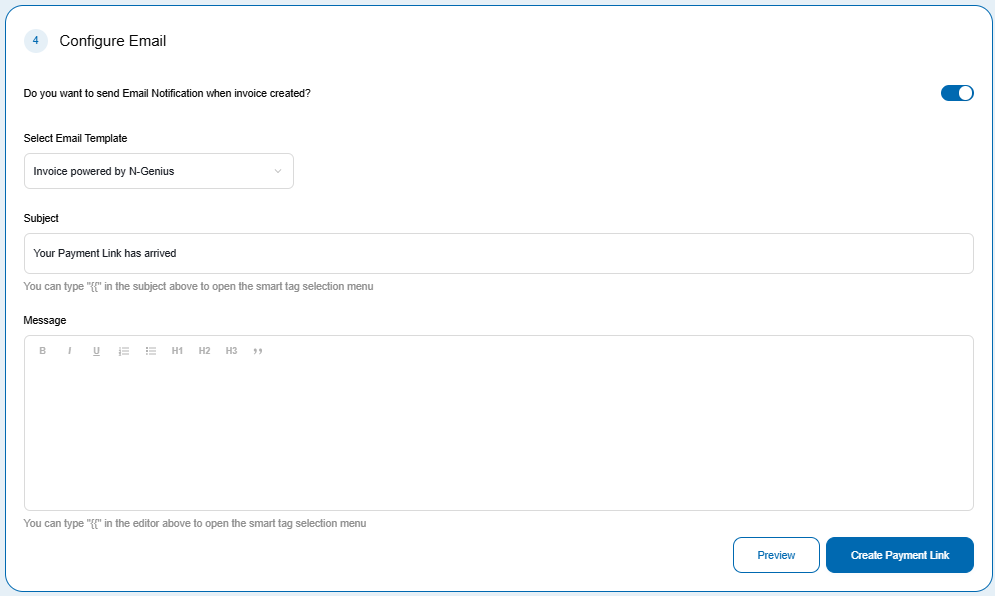
Optional: Configure and preview the email
If you choose to send an email notification:
- Select a previously created Email template.
- Enter the Subject and Message for the email.
- Click Preview to review how the email will appear to your customer.
- Click Cancel in the preview to return to the form and make any changes.
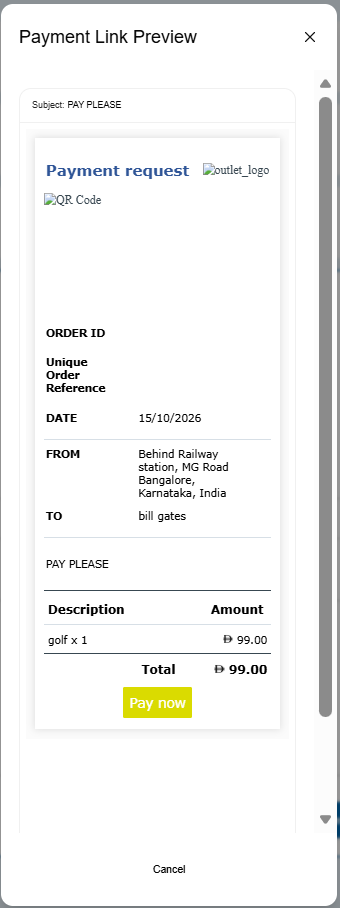
Create the payment link
Click Create Payment Link to create the link. The new link appears in the table on the Payment Links page.
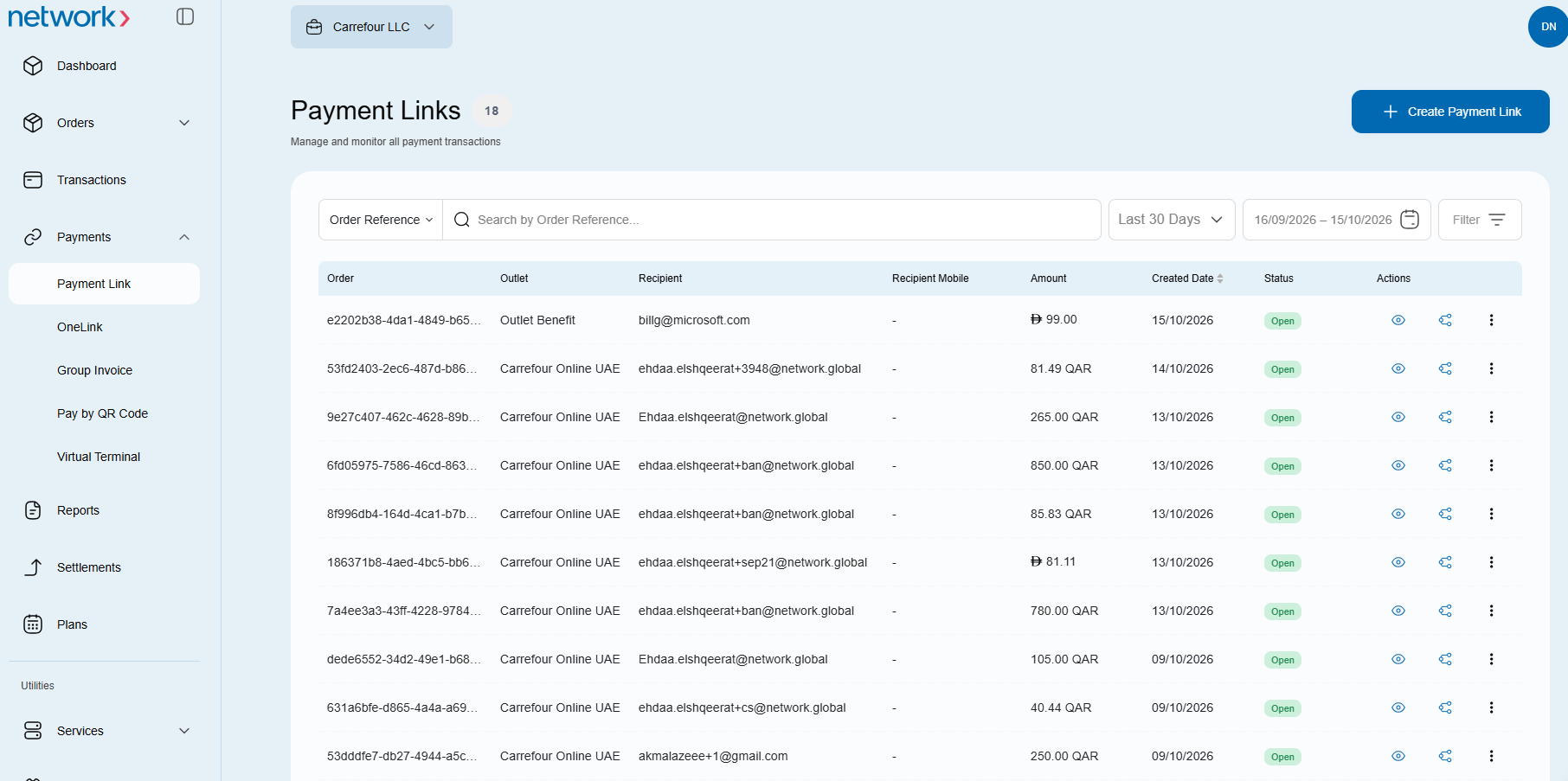
From this page, view the orders associated with a link, resend a link or share it via social media. Follow Manage Payment Links for the management procedure.
Optional: Share your link
- Include the order reference, amount, currency and expiry in your message.
- For text-message guidance, read Pay by Link via SMS.
- To share through social or messaging apps, read Social share.
Related
- Email templates
- Track and manage payment links
- Invoicing via API for Developers
Updated 1 day ago
Did this page help you?