

Order Fulfilment
This guide explains how merchants can update the fulfilment status of customer orders in the N-Genius Portal. This helps track whether an order has been collected, delivered, or returned.
Merchants can use the Order Fulfillment Status feature to update customer order collection statuses after successful payment. This helps streamline fulfillment tracking and ensures accurate reporting of order handovers. Such improved transparency fosters trust and stronger customer relationships, ultimately boosting sales and operational efficiency.
Important: Your Relationship Manager must enable this feature. If you don't see the Collection Status dropdown in your portal, please contact them to activate it.
Step-by-Step Instructions
-
Log into the N-Genius Portal
-
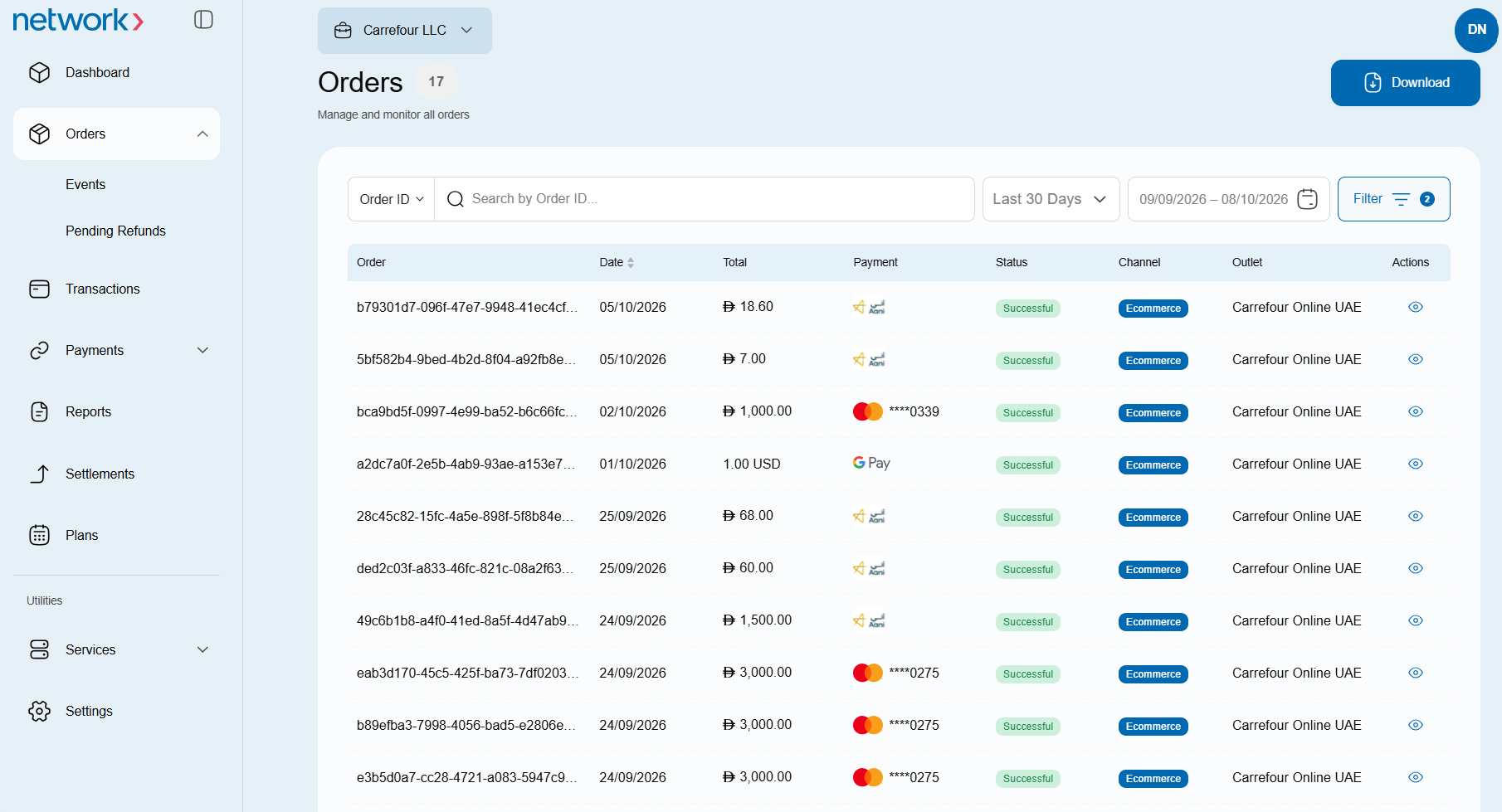
Click on “Orders”
-
(Optional) Use the filters to change the Payment Status to Successful.
-
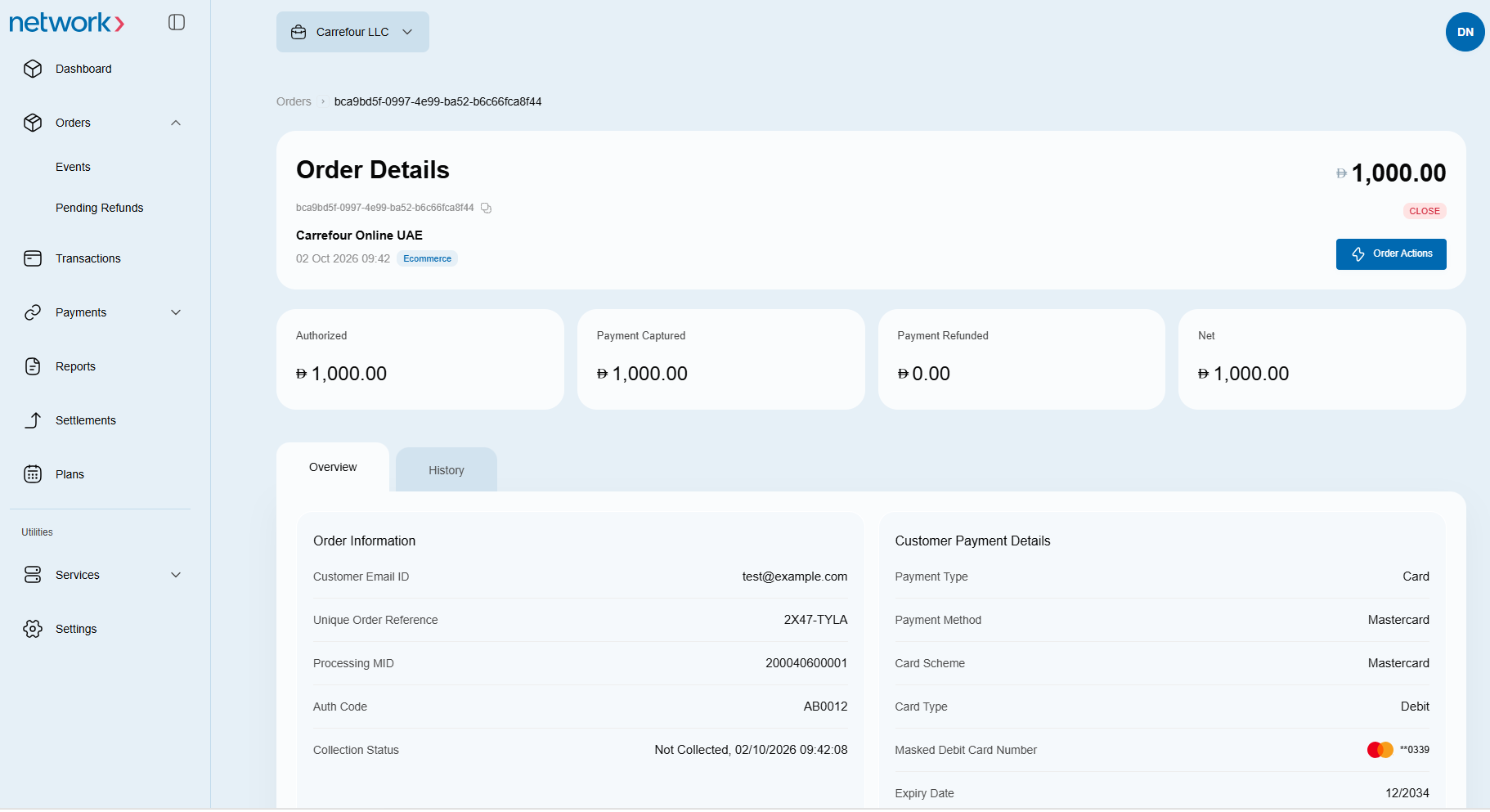
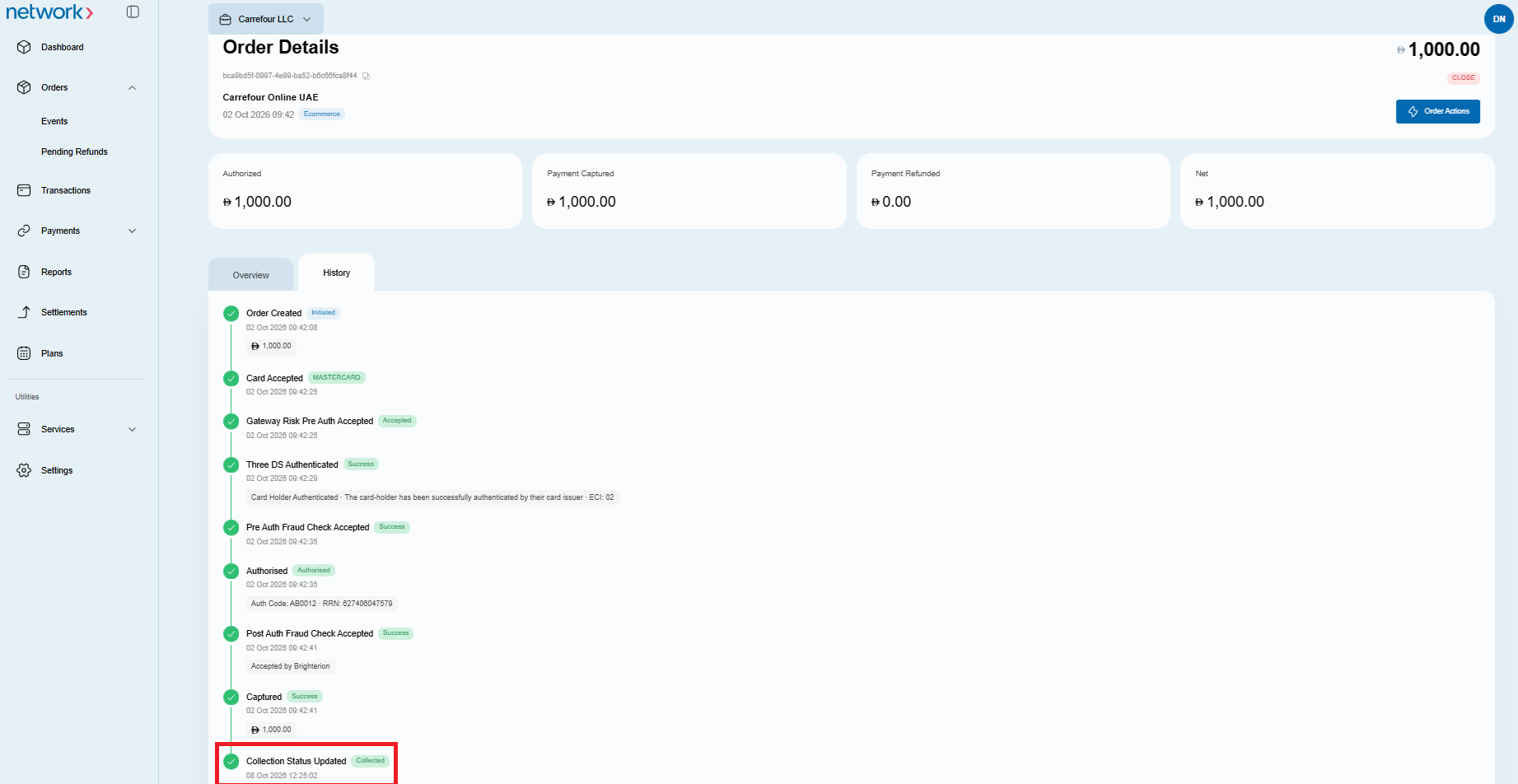
A list of orders will be displayed. Click on the Actions icon next to the order whose collection status you want to update. This will open the following Order Details page:
-
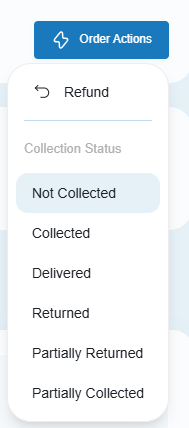
Click on the Order Actions button on the top panel. The following dropdown list will be displayed:
-
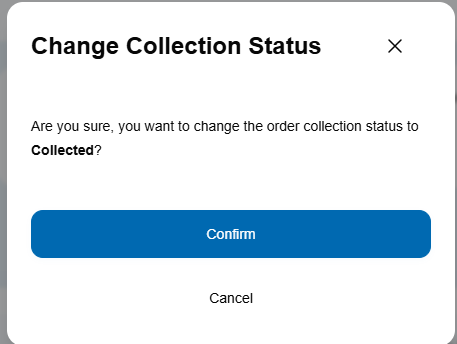
Select the desired option, A confirmation prompt will then appear with the following text: “Are you sure you want to change the order collection status to (Selected Status)?” The example below shows the Collected status.
-
Click Confirm to update the order's status. You may then verify the change by clicking on the history tab on the Order Details page:
Viewing Order Fulfilment Summary on N-Genius
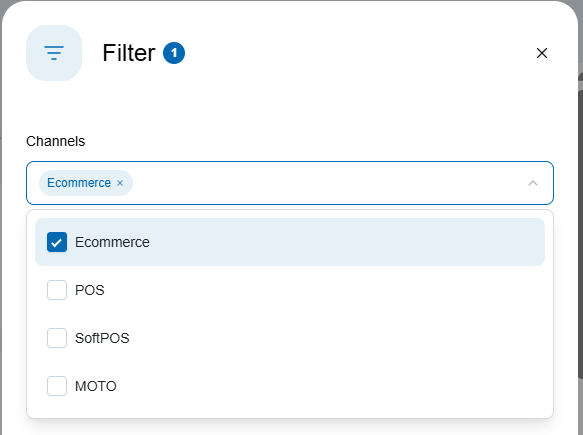
To view orders by collection status, navigate to the home dashboard of the merchant platform. Next, filter the displayed data by the ecommerce channel:
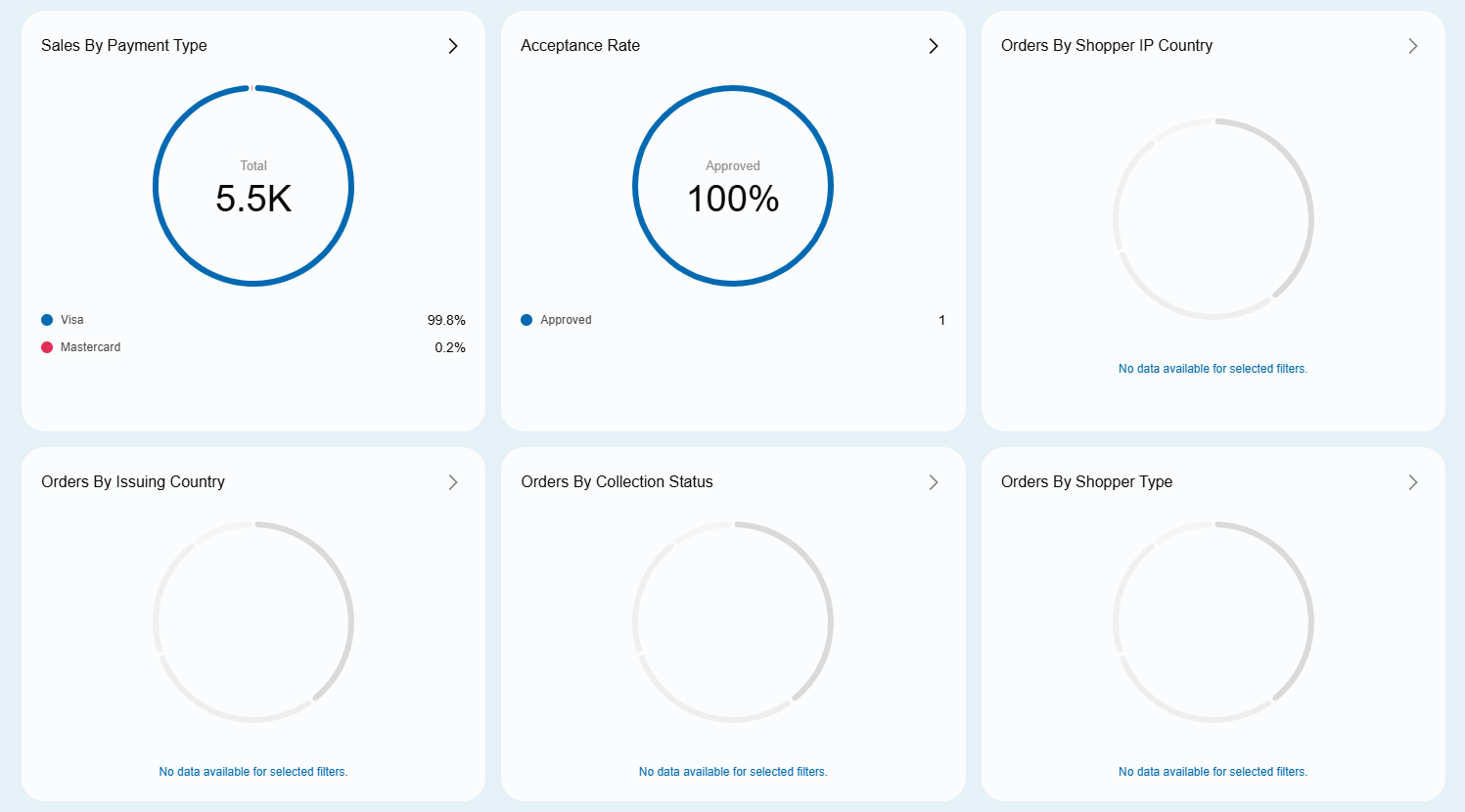
Scroll down the page to view a pie chart that visually breaks down orders by collection status (if any). Clicking on the > icon on the top right corner will reveal a detailed summary of those orders. Clicking on any segment of the chart reveals detailed summary information for that status.
Click and Collect (Collection Method)
Click and Collect is a popular fulfilment method that allows customers to buy online and collect from a store, pickup point, locker, or curbside. It appears as part of the Collection Status workflow — not as a standalone feature.
Benefits
- Faster and cheaper than home delivery → higher customer satisfaction.
- Same-day or next-day collection possible.
- Reduces logistics costs by using stores as fulfilment hubs.
- Provides flexibility (choose time & place).
- Encourages incremental sales when customers browse in-store.
How It Works
- In-store Pickup — Collect from merchant’s location.
- Collection Point — Partnered pickup hubs.
- Locker Pickup — Secure locker with code.
- Curbside Pickup — Staff bring items to the customer’s car.
Shopper Insights
- Shoppers value product availability, store proximity, and in-store support.
- Many use the pickup as part of their research-and-buy journey.
- Customers often make extra purchases during collection.
Notes
- Only available for orders with completed payments.
- For bulk updates, contact your Relationship Manager or use the Order Collection Status API.
Notes
- This feature is only available for orders with completed payments.
- If you manage high volumes of orders, reach out to your Relationship Manager or Product team to explore bulk update options via API.
Updated about 3 hours ago